
Uses of our Simple Online Mathematics Calculator
Basic Math Functions
- These functions cover basic arithmetic operations and parentheses for grouping expressions.
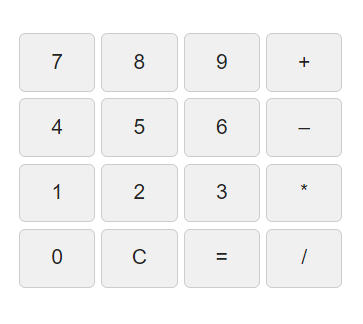
- Click on any button to add it to the expression in the display area.
Available Basic Math Functions:
- Numbers (0-9): Click on any number button to add it to the expression.
- Parentheses ( ): Use parentheses for grouping expressions.
- Addition (+), Subtraction (-), Multiplication (*), and Division (/): Perform basic arithmetic operations.
Need trigonometry, logarithms, square roots or powers? Try our free Scientific Online Calculator for more advanced calculations.
How to Use the Simple Online Math Calculator
Use this free simple math calculator for everyday arithmetic on a phone, tablet or computer. Select the number buttons and an operation, then press the equals button to calculate the result. Press C to clear the display and start a new calculation.
Basic Math Operations
- Addition (+): combine numbers, such as 18 + 7 = 25.
- Subtraction (−): find the difference, such as 18 − 7 = 11.
- Multiplication (×): calculate repeated groups, such as 6 × 7 = 42.
- Division (÷): split a number into equal parts, such as 42 ÷ 6 = 7.
When Should You Use a Basic Calculator?
A basic online calculator is useful for quick homework checks, shopping totals, simple budgeting, comparing quantities and checking arithmetic. For longer expressions, enter one operation at a time and check the displayed result before continuing. Division by zero is undefined.
Frequently Asked Questions
Is this simple math calculator free?
Yes. You can use the calculator on this page without installing a separate app.
Which operations does it support?
The current keypad supports addition, subtraction, multiplication and division. Use the scientific calculator linked above for advanced mathematical functions.
Can I use it on a mobile phone?
Yes. Open this page in your mobile browser. If the keypad feels crowded, rotate your phone or use a wider screen.