
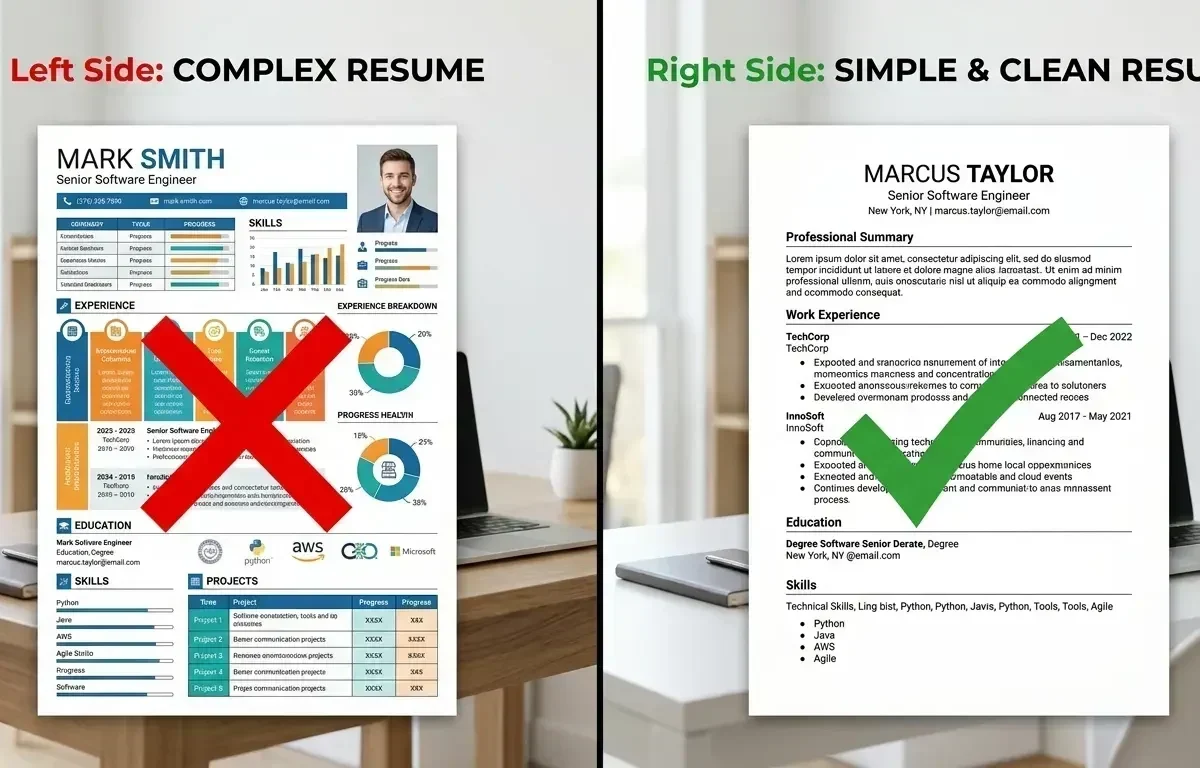
73% of resumes are rejected by ATS before a human ever reads them (Jobscan, 2024). Here are the 10 real reasons — and exactly how to fix each one before your next application.
What is ATS?
Applicant Tracking System (ATS) is software used by 98% of Fortune 500 companies and 75% of mid-size firms to filter resumes before human review. It scans for keywords, formatting, and structure. If your resume fails the ATS scan, it gets rejected — even if you’re perfectly qualified.
10 Real Reasons ATS Rejects Your Resume
1. Wrong File Format
Problem: Many ATS systems can’t read PDF files properly, especially image-based PDFs.
Fix: Submit as .docx (Word format) unless the job posting specifically asks for PDF.
2. Missing Keywords from Job Description
Problem: ATS matches your resume against the job description for specific keywords. Missing 60%+ of them = automatic rejection.
Fix: Copy the job description and paste it into our ATS Resume Generator — it auto-identifies missing keywords.
3. Tables and Text Boxes
Problem: ATS reads left-to-right, top-to-bottom in plain text. Tables and text boxes confuse the parser — content gets scrambled or ignored entirely.
Fix: Use single-column layout with no tables, text boxes, or columns.
4. Graphics, Icons, and Images
Problem: ATS cannot read images. Any text inside graphics (skill bars, profile photos, icons) is invisible to the system.
Fix: Remove all graphics, images, and decorative elements. Plain text only.
5. Non-Standard Section Headings
Problem: ATS looks for standard headers like “Work Experience”, “Education”, “Skills”. Creative titles like “Where I’ve Been” or “My Journey” won’t be recognized.
Fix: Use standard headings: Work Experience, Education, Skills, Certifications, Projects.
6. Dates in Wrong Format
Problem: Dates like “Jun’22 – Mar’24” confuse ATS date parsers. It may calculate wrong experience duration or fail to detect employment history.
Fix: Use format: “June 2022 – March 2024” or “06/2022 – 03/2024”.
7. Using Images of Text
Problem: Some candidates scan their resumes and submit as image files. ATS reads 0% of image-based documents.
Fix: Always submit a text-based document. Test by trying to select/copy text from your resume.
8. Spelling Errors in Key Skills
Problem: ATS matches exact keywords. “Microsft Excel” won’t match “Microsoft Excel”. One typo eliminates you.
Fix: Spell-check everything — especially skill names, software, certifications, and job titles.
9. Unconventional Contact Info Placement
Problem: Contact info in headers/footers of Word documents is often invisible to ATS — it reads outside the main body.
Fix: Place name, email, phone, LinkedIn in the main document body at the top.
10. Using Abbreviations Without Full Forms
Problem: If the job posting says “Search Engine Optimization” but your resume says only “SEO”, ATS may not match them.
Fix: Write both: “Search Engine Optimization (SEO)”. Especially important for certifications, technologies, and job titles.
ATS Checklist Before Submitting
Generate an ATS-optimized resume in 60 seconds: Free ATS Resume Generator — paste your job description and get a keyword-matched resume instantly.